Apparel Management Software
Custom ERP for wholesale ethnic apparel covering design-number catalogue, multi-channel order capture, order approval, bale-level packing, despatch and lorry receipt tracking, receivables, goods returns, physical stock scan audit and...
Overview
One system from order booking to bale despatch
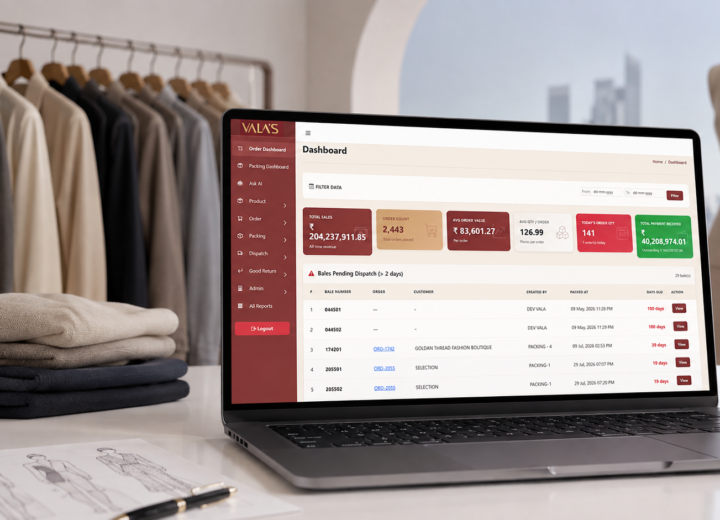
Div Systems designed and built a browser-based ERP that runs the daily trading operation of a wholesale ethnic womenswear business supplying retailers across India.
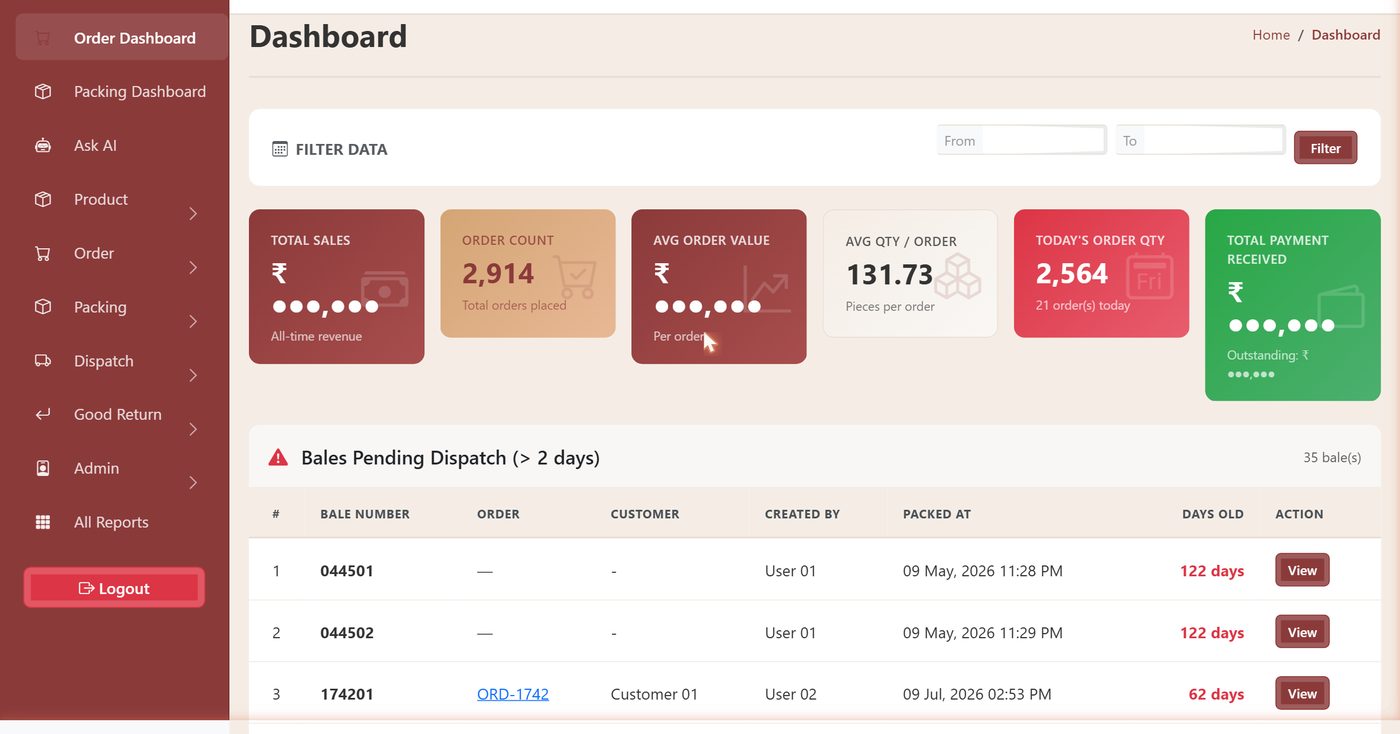
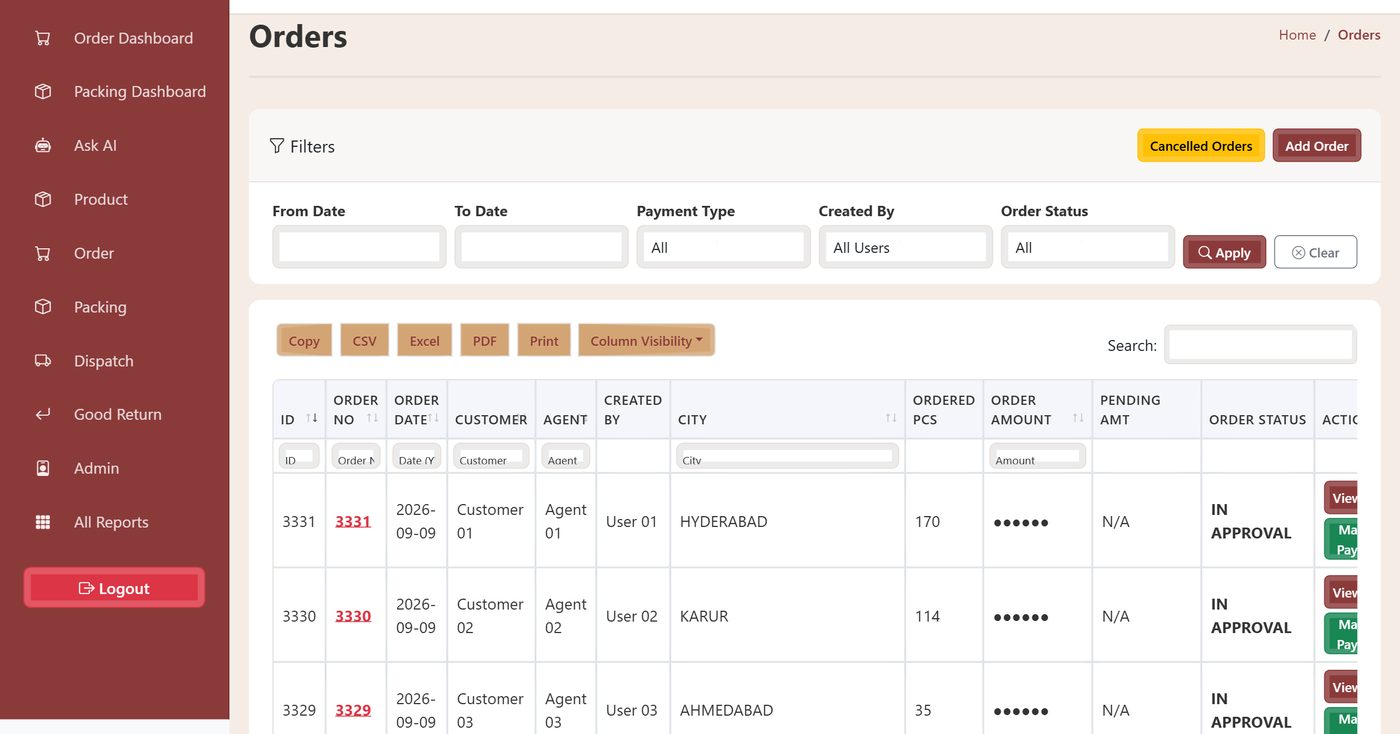
The platform connects the design-number catalogue, multi-channel order capture, an approval gate, a bale-level packing floor, transporter and lorry receipt documentation, receivables and goods returns in one record. Around thirty reports and a natural-language query assistant read the same operational data, while accounting continues in Tally.
- Custom ERP
- Wholesale distribution
- Textile & apparel
- Warehouse operations
- Tally integration
Business need
The operational challenge
Wholesale ethnic apparel has an operating pattern that general-purpose ERP does not fit. Goods trade as size-run sets rather than pieces, orders arrive on four different channels, and every consignment carries its own transport documentation. The operation needed a system that could:
- Hold stock at design and size level while staff work in design numbers
- Capture orders from WhatsApp, the showroom, sales tours and trade fairs
- Review and prioritise orders before they reach the packing floor
- Pack into numbered bales and reconcile against the order line by line
- Track transporter, weight, lorry receipt number and scanned copy
- Keep receivables and cheque detail visible to the people who chase them
- Grade goods returns by reason and control what re-enters stock
- Verify physical stock without stopping the warehouse
Run on registers, spreadsheets and messaging threads, each department keeps its own copy of the same order, and the copies drift apart. Design-number catalogues sit in phone galleries, availability is confirmed by walking to the rack, and lorry receipts are found only when a buyer withholds payment for want of one.
Our solution
The order record as the operational spine
An order is created once, with the customer, commission agent, transporter, channel, payment terms and line items. From that point the same record accumulates state as work happens against it. Approval is set on it. Packing start and finish times are stamped on it. Bales are created against it and inherit its number. Despatch, lorry receipt and transport details attach to those bales. Bill references, payments and returns all point back to it.
No department re-keys what another has already entered, and no one has to ask another team where an order stands. Reporting becomes a by-product of doing the work rather than a separate exercise, and Tally stays the accounting record through a push from the order screen.
Key features
Built for how the trade actually operates
Design-number catalogue
Every design carries its size run, quantity per set, price, fabric, work type, colour, rack locations and live availability in one record.
Set and piece ordering
Quantity is entered as sets or pieces against a fixed quantity per set, matching the way the trade prices and sells.
Multi-channel order capture
WhatsApp, showroom, sales tour and trade fair are recorded on every order, turning channel performance into a measurable dimension.
Approval and priority gate
Orders are held for commercial review before packing, and a three-level priority flag sequences the floor's work list.
Timed packing floor
Start and finish timestamps give true packing durations while pending set and piece counters reconcile each line at the bench.
Bale-level traceability
Goods pack into individually numbered bales carrying their own contents, weight and transporter, with numbering that identifies the parent order on sight.
Lorry receipt tracking
LR number, date and scanned copy attach to the despatch, making transit documentation retrievable by order, bale, transporter or date.
Payments and outstanding
Part-payments with running balances, four payment methods and full cheque capture including number, bank, date and uploaded image.
Reason-coded returns
Nine editable return reasons, each with a flag deciding whether the returned quantity re-enters sellable inventory.
Physical stock scan audit
Session-based scanning reconciles the catalogue against the racks through a six-way matrix, reducing a full recount to a short exception list.
Role-based access
Around fifty granular permissions assembled into roles, including read-only and print-only, adjustable without development work.
Field-level audit log
Entity, record, field, old value, new value, timestamp and user captured across orders, stock, payments, despatch and masters.
Inside the platform
Module walkthrough
Screens from the live system. Customer names, contact numbers and monetary values are masked; the structure and workflow are unchanged.
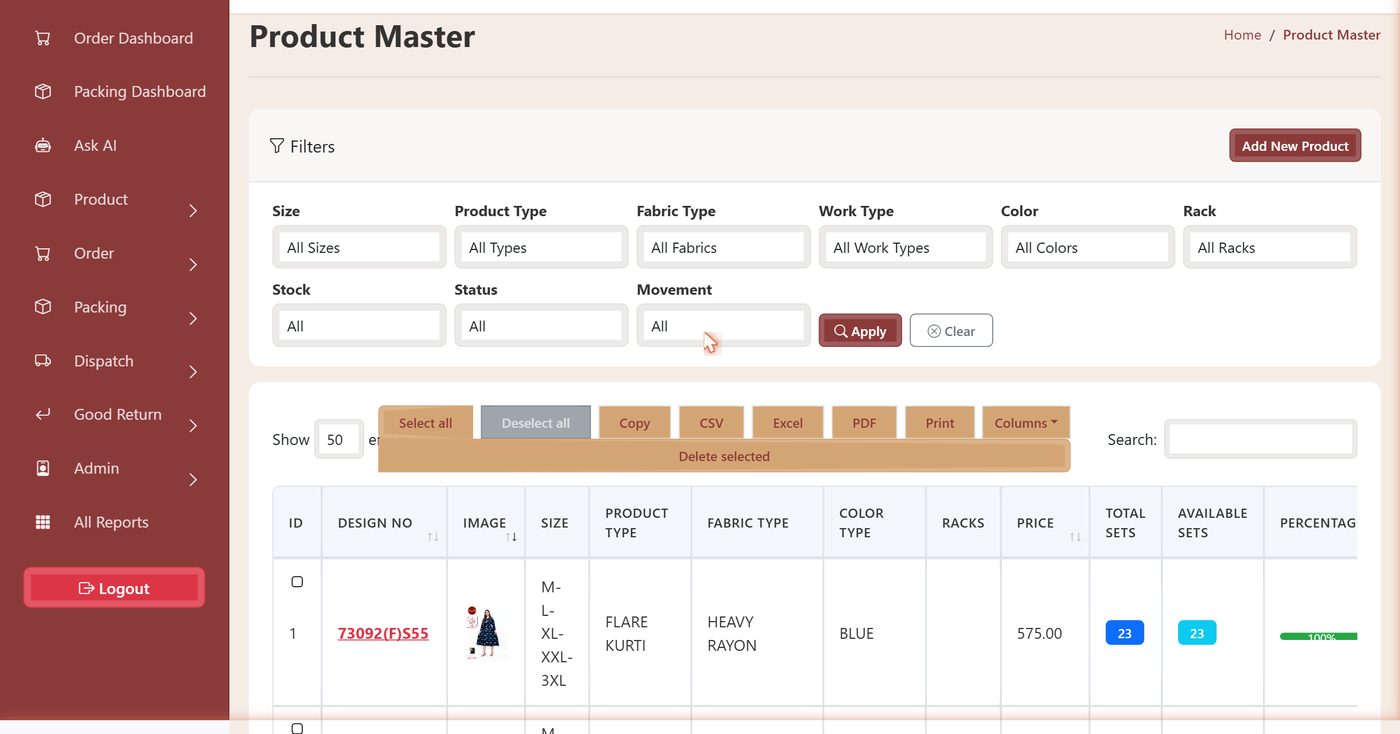
Product master with live stock
Designs are classified across product type, fabric, work type and colour, assigned to rack locations, and shown with total sets, available sets and an availability percentage. A fourteen-state movement classification grades each design from launch through velocity to decline, which matters because conventional fast-and-slow analysis needs sales history that short-life fashion designs do not have when the decision is made.
Two catalogue images are held per design, one with price and one without, so material can be shared with retailers or with agents as appropriate.
Bale packing with live reconciliation
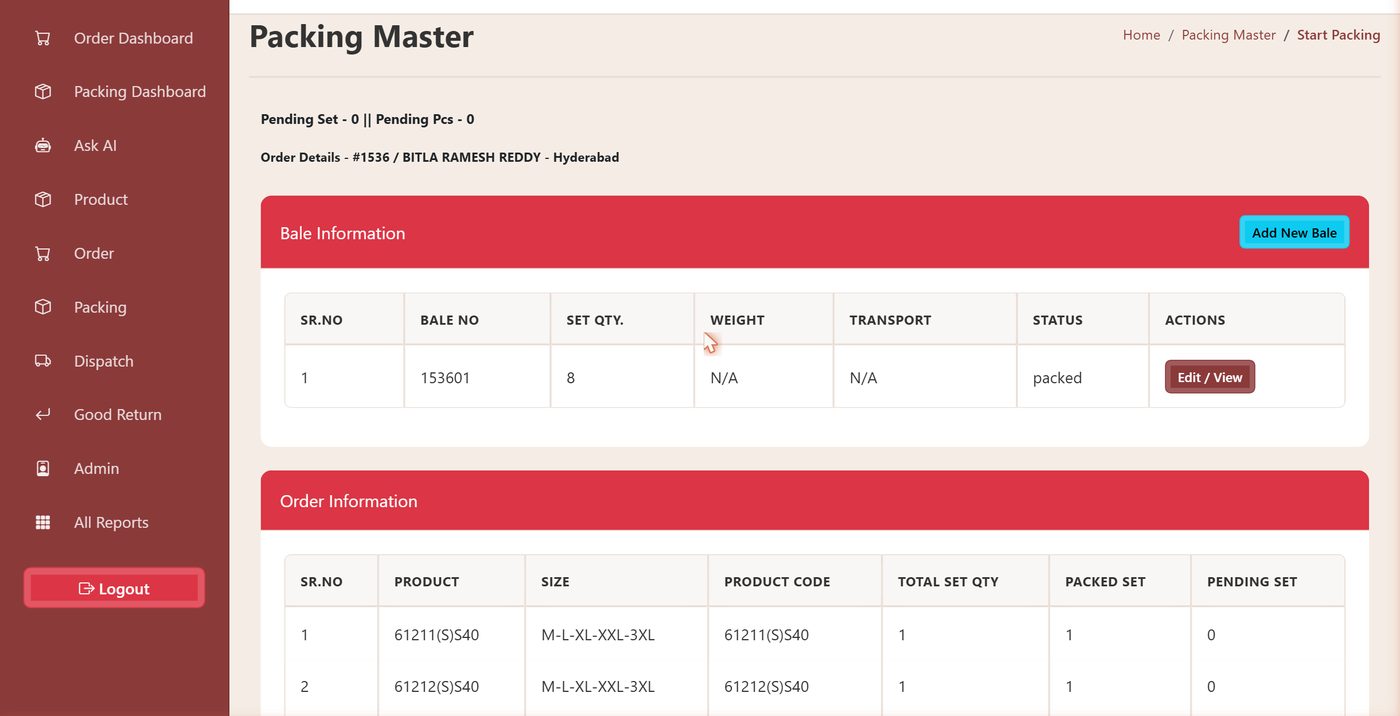
Approved orders reach a queue sequenced by priority. An operator starts an order, which stamps a start time, then builds bales and adds items to each one. The order panel shows total, packed and pending sets for every line, and items found unavailable are recorded at the point of picking.
Partial despatch is the normal condition in this trade because stock moves while orders are open. Reconciling during packing rather than after despatch means shortfalls are known while something can still be done about them.
Transport documentation that stays with the order
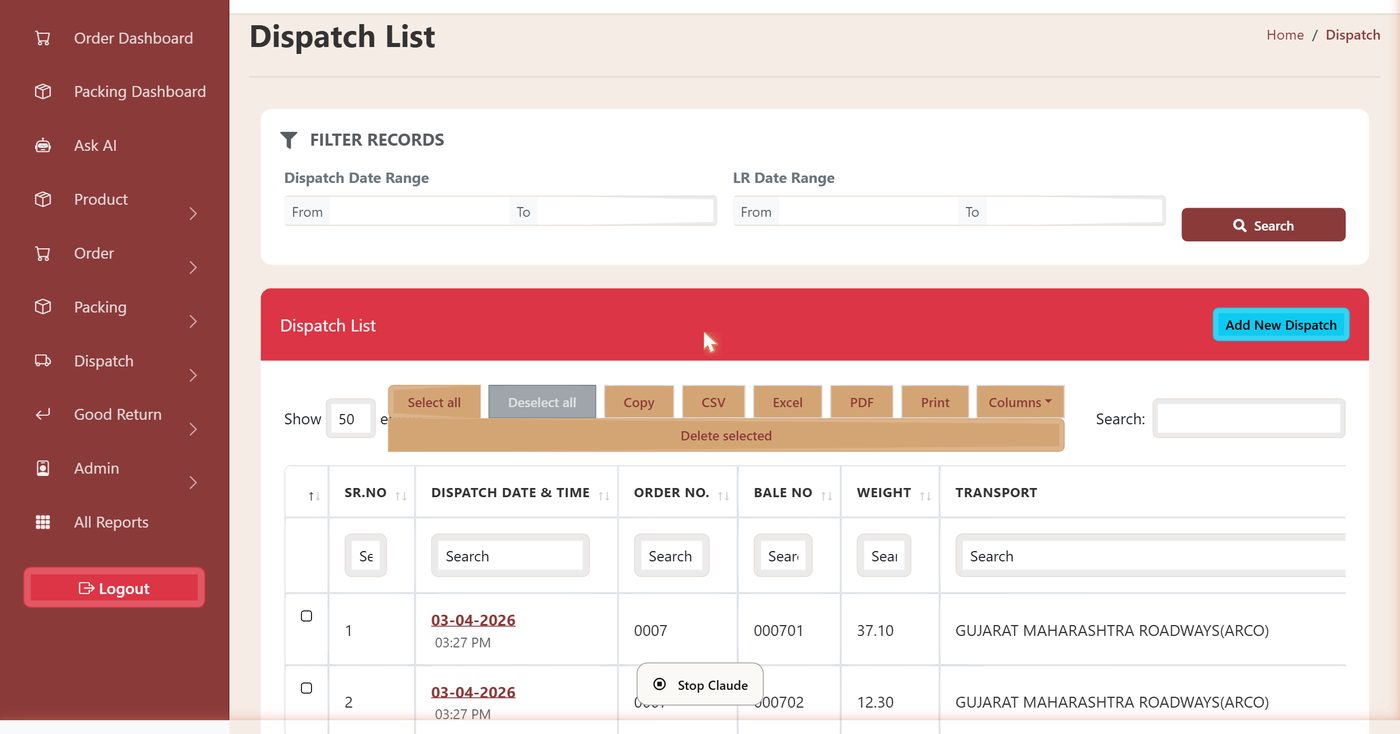
A despatch records the date, transporter and weight against numbered bales, then holds the lorry receipt number, date and scanned document. The lorry receipt is the transit key, separate from the invoice number and the e-way bill number, and buyers routinely require a copy before releasing payment.
Bales packed but not despatched beyond two days surface on the dashboard as an ageing work list with a link straight to the record.
Physical verification without stopping trade
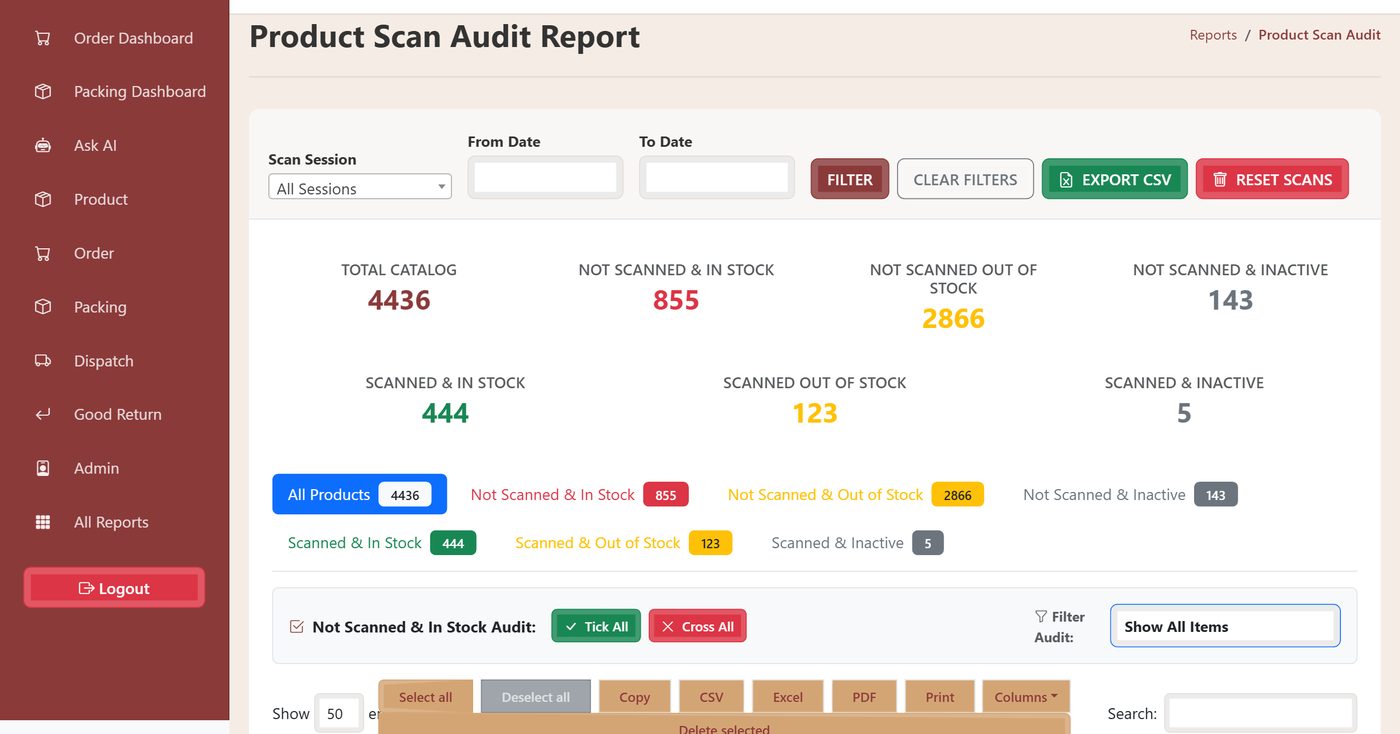
Stock verification runs as scan sessions. The catalogue is split six ways by scan state against stock and product status, and each category opens as a working list carrying rack location, so a discrepancy can be walked to. Auditors mark items with a tick or a cross, filter to unmarked items, export the result and reset between sessions.
A catalogue of several thousand design numbers cannot be recounted in one exercise. Splitting it this way turns a full recount into a short exception list.
Around thirty prepared reports
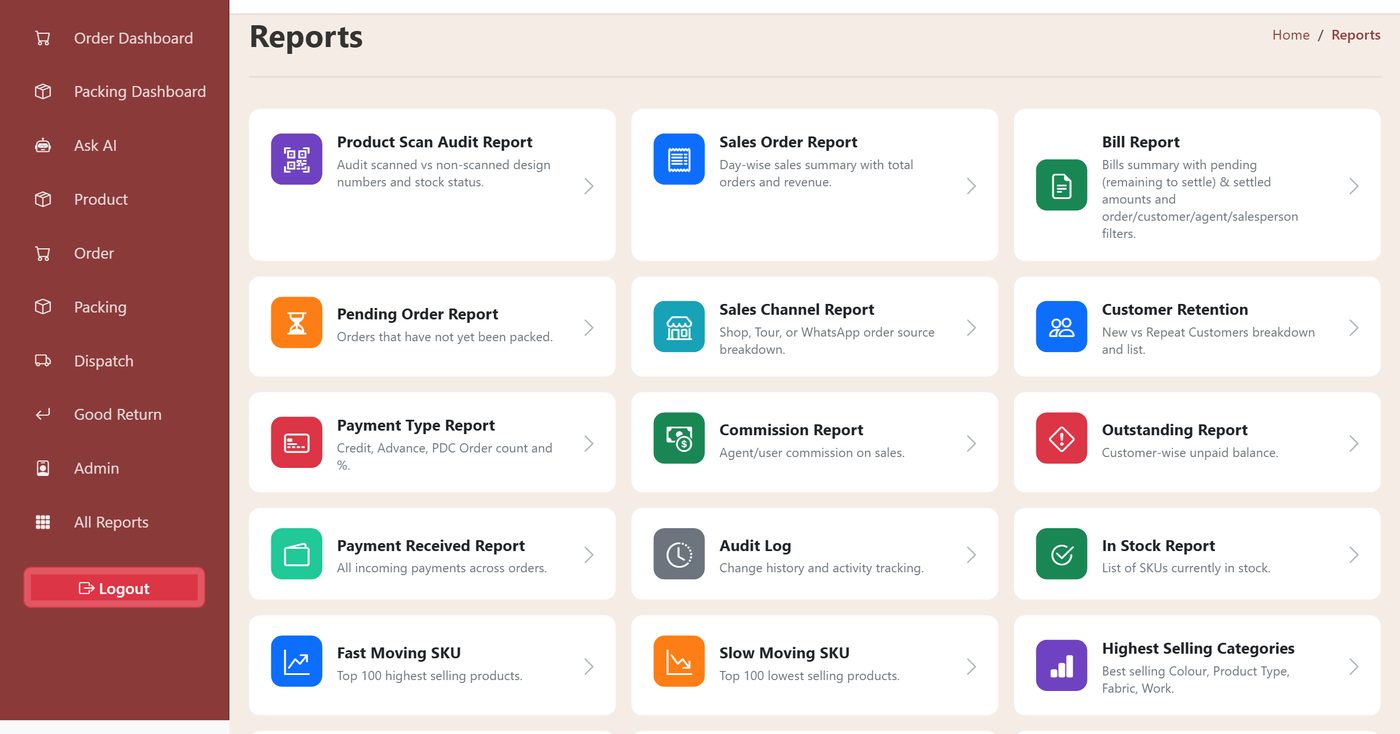
Sales and channel, receivables and commission, inventory and dead stock, customer retention and activity, packing productivity, goods returns and system activity. Most accept a date range, and each adds the dimension that matters to it: user, customer, agent, salesperson, state and city, status or unsold-days threshold.
Search, column visibility and export to clipboard, CSV, Excel, PDF and print are consistent across the suite. A read-only assistant answers plain-language questions over the same data for users who need one number and do not know which report holds it.
Measured floor throughput
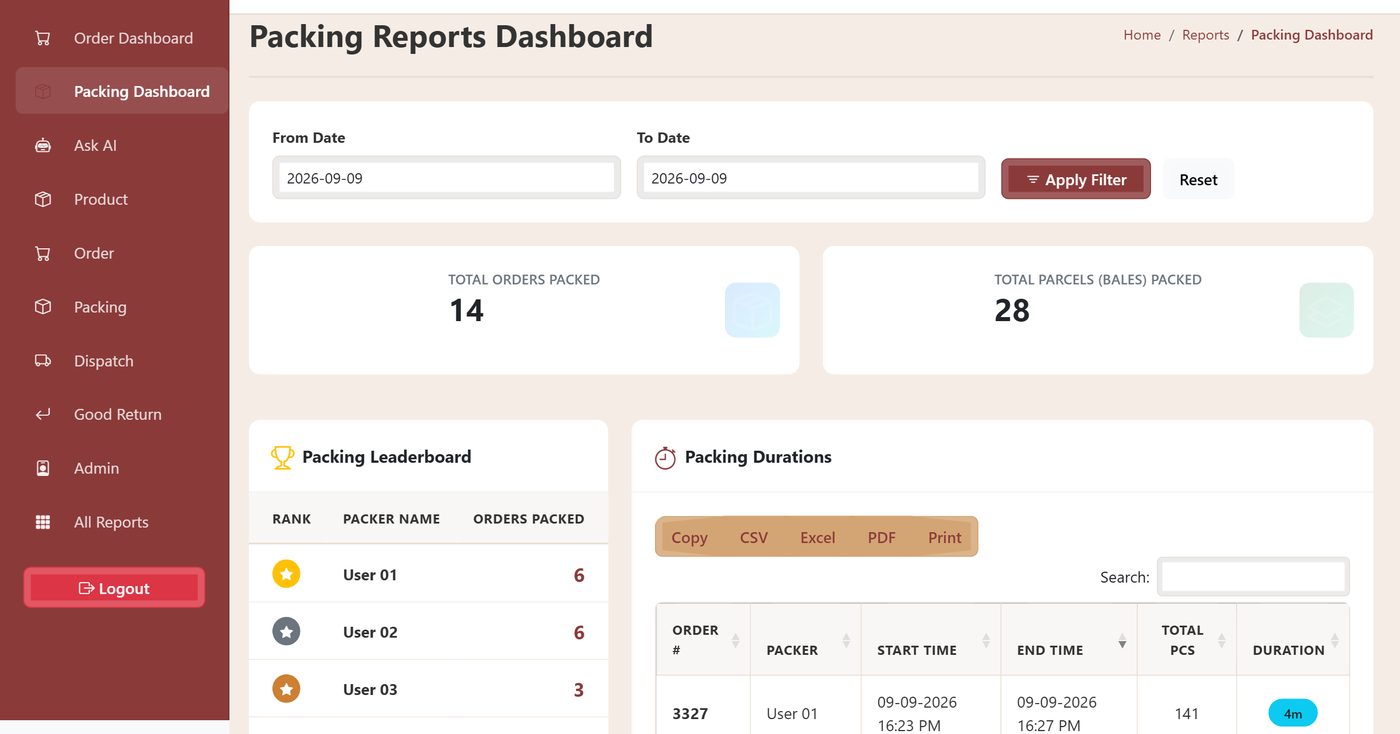
Packing is the usual bottleneck between order and despatch, and without timestamps its capacity is a matter of opinion. The dashboard reports orders and bales packed for any date range, ranks packers by orders completed, and lists every order with its packer, start time, end time, piece count and elapsed duration.
Staffing and shift decisions rest on measured throughput, and the duration data shows where large orders consume disproportionate floor time.
End to end
Order to despatch, in one chain
The order record carries state throughout, so each stage reads what the last one wrote.
Impact
Operational gains
across five departments
granular permissions
live operational data
every design number
Stock position usable at the point of decision. Availability shows while an order is being taken, committed stock is separated from free stock, and scan sessions keep the figure honest.
Workflow made explicit. Approval and priority are recorded states rather than conversations, and the packing queue reflects them.
Despatch fully documented. Every parcel is numbered, weighed, assigned to a transporter and linked to its lorry receipt and scanned copy.
Receivables visible where they are chased. Order-level balances and imported bill ageing reach sales and despatch without opening the accounting system.
Returns feed back into stock and quality. Reasons are structured, restocking follows the reason, and patterns surface by design, customer and salesperson.
Accountability built in. Every order, bale, despatch, payment, approval and field-level edit carries a named user and a timestamp.
Engineering approach
Modelling a trade, not a template
The set as the unit of trade
Price is quoted and ordered per set while stock exists at design and size level. Getting that translation right is what keeps pricing, picking and stock reporting in agreement.
Agency without distortion
The commission agent is neither the customer nor an employee, so agent, salesperson and customer are distinct relationships on the same order, with commission net of returns.
Despatch as physical objects
Bales are what leave the building and freight is charged on their count and weight, so the bale became a first-class record rather than a line on an order.
Instrumented, not slowed
Timestamps and bale-by-bale entry give management real throughput data while the floor screen stays fast enough to use at the bench under time pressure.
A deliberate accounting boundary
Rebuilding statutory accounting would duplicate work and split the record. Operational documents push into Tally and receivables come back, leaving the books where auditors already work.
Access built for a warehouse
Several dozen users across shifts, including floor operators and print-only stations, needed permissions granular enough that a packer sees the packing floor and nothing else.
Common questions
Custom ERP for textile wholesale
Can a custom ERP work alongside Tally rather than replacing it?
Yes, and that is usually the right boundary. Tally holds the statutory books, GST filings and the auditor conversation. The operational system owns catalogue, orders, packing, despatch and returns, pushes sales documents across, and reads receivables back so the sales and despatch teams see current outstanding without access to the accounts system.
Why not use an off-the-shelf apparel or distribution ERP?
Standard packages model pieces and single SKUs. This trade prices and sells size-run sets, talks in design numbers, ships in numbered bales, works through commission agents and depends on lorry receipt documentation. Each of those is a structural difference rather than a configuration option, and forcing them into a generic data model is where accuracy is lost.
How does the system handle partial despatch and short picks?
Reconciliation happens during packing rather than after despatch. The packing screen shows total, packed and pending sets for every order line as bales are built, and items found unavailable are recorded at the point of picking, so a shortfall is known while the order is still on the bench.
Can physical stock be verified without stopping the warehouse?
Stock verification runs as scan sessions. The catalogue is split by scan state against stock and product status, which isolates the exception that matters, namely designs recorded as in stock that were never scanned. Auditors work that shorter list with rack locations rather than recounting everything.
How is access controlled across a warehouse team?
Roles are assembled from around fifty discrete permissions expressed at create, list, edit and delete level per module, including read-only and print-only roles. Roles can be adjusted as the team changes without development work, and a field-level audit log records every change with the user who made it.
How long does a build like this take?
It depends on how much of the process is already documented. The first phase is always business process analysis, including the parts of the operation that exist only as habit. Get in touch with an outline of your workflow and we will scope it against what we have already built.
Why Div Systems
Software shaped around how you already work
We build operational platforms for businesses whose processes do not fit standard packages: trades with their own units of measure, their own documentation, their own approval customs and their own way of pricing. The work starts with understanding how the operation runs today and ends with a system the floor will actually use.
Start your project